Moz Q&A is closed.
After more than 13 years, and tens of thousands of questions, Moz Q&A closed on 12th December 2024. Whilst we’re not completely removing the content - many posts will still be possible to view - we have locked both new posts and new replies. More details here.
Google Search Console not loading some resources
-
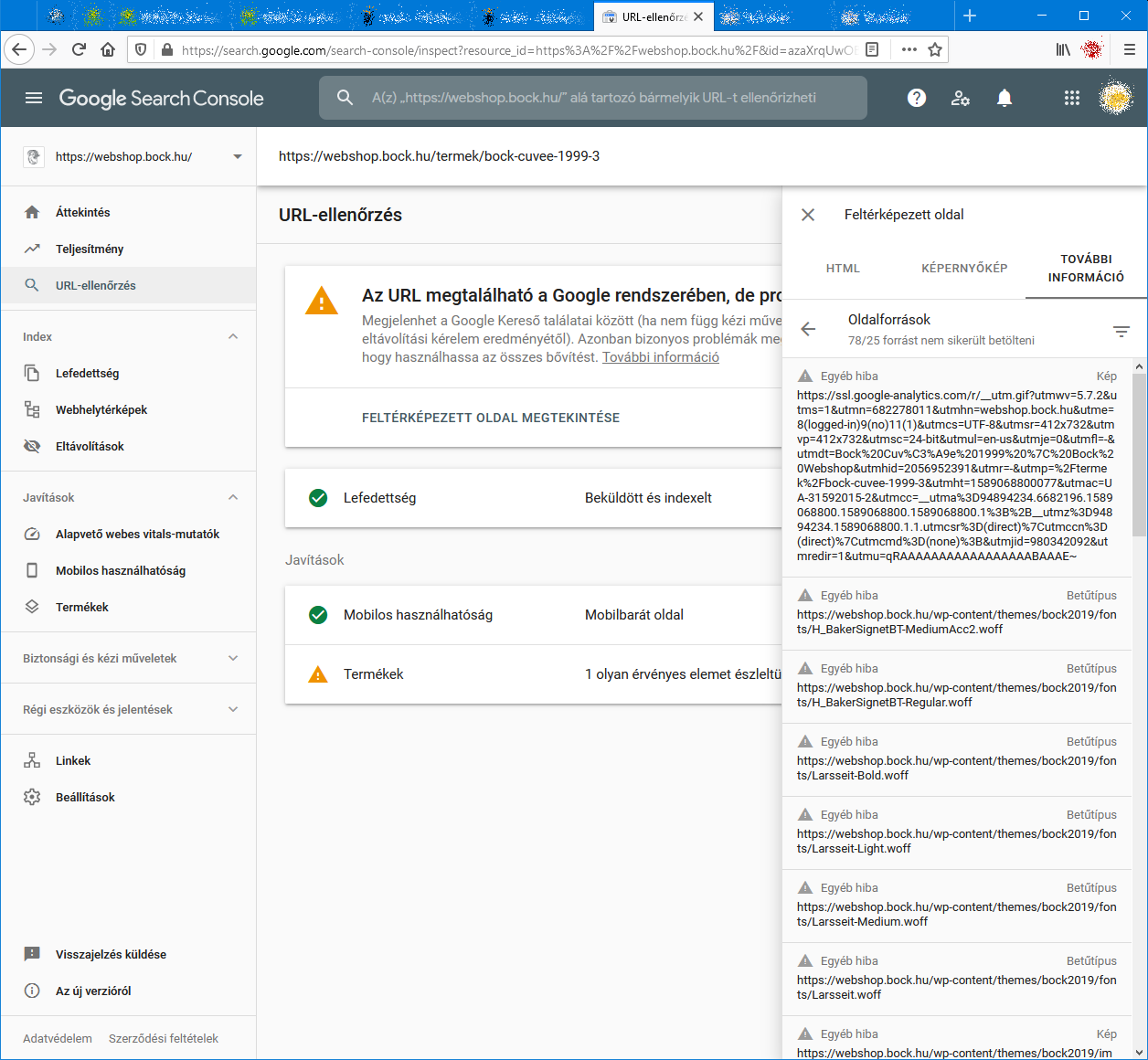
When I check an URL with Search Console it cannot load some page resources, even from other domains (like: ssl.google-analytics.com, www.facebook.com and www.google-analytics.com).
Have any of you experienced this issue?
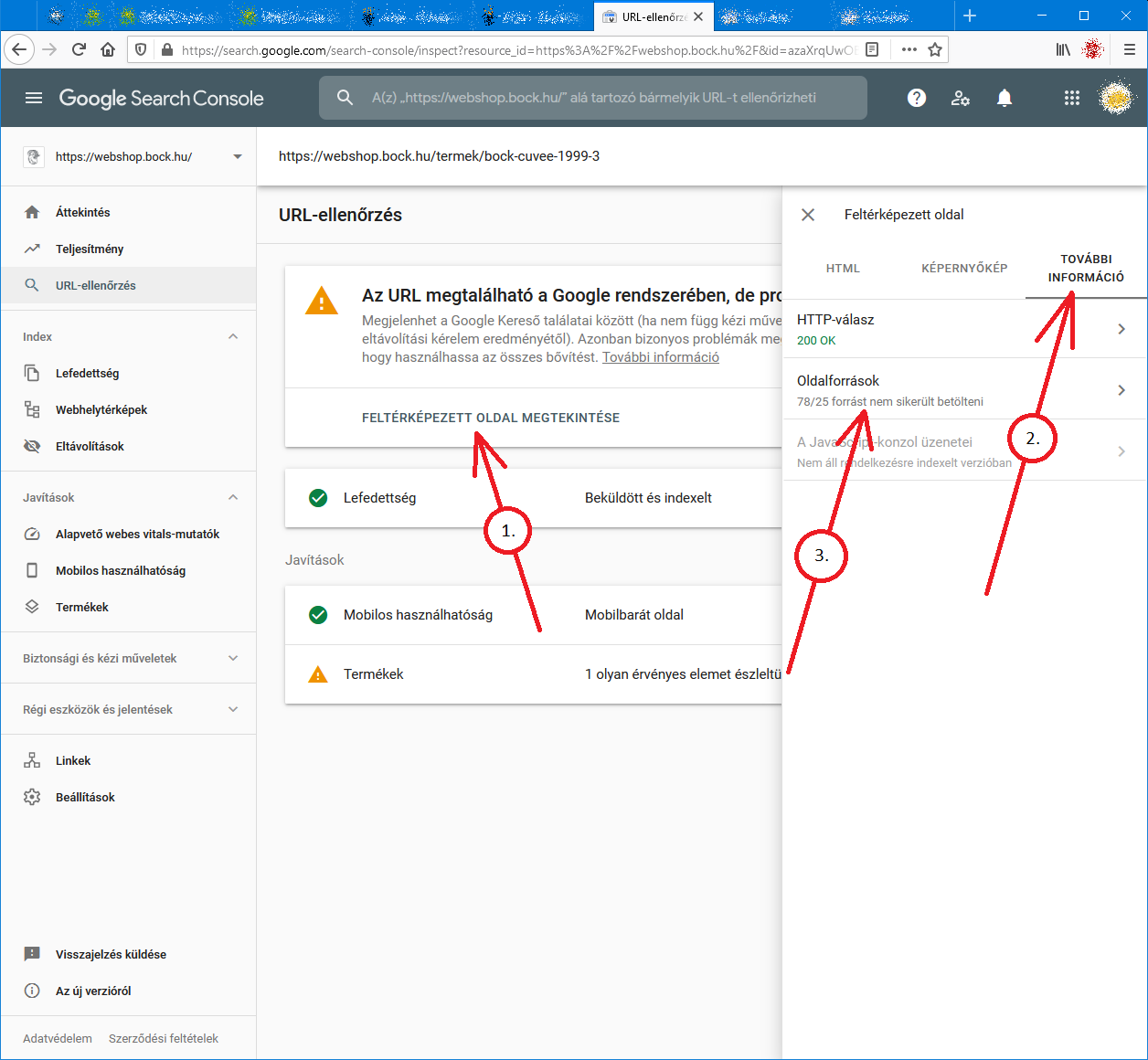
Steps to reproduce:- open Google Search Console
- check an URL
- click "View crawled page" link
- select "More info" tab
- click "Page resources" {?}/{?} couldn't be loaded
When I check the listed resources, all of them can be loaded from a web browser.
So I do not understand why Google cannot load them.
And there is no additional info why the resources could not be loaded.
Any ideas?google-search-console-other-error-1.png google-search-console-other-error-2.png
-
I am facing issue for my https://jobdekho247.com site, web stories are not loading in search console, Refused to load the stylesheet. How can i fix it?
Currently I am using premium version of GeneratePress theme.
-
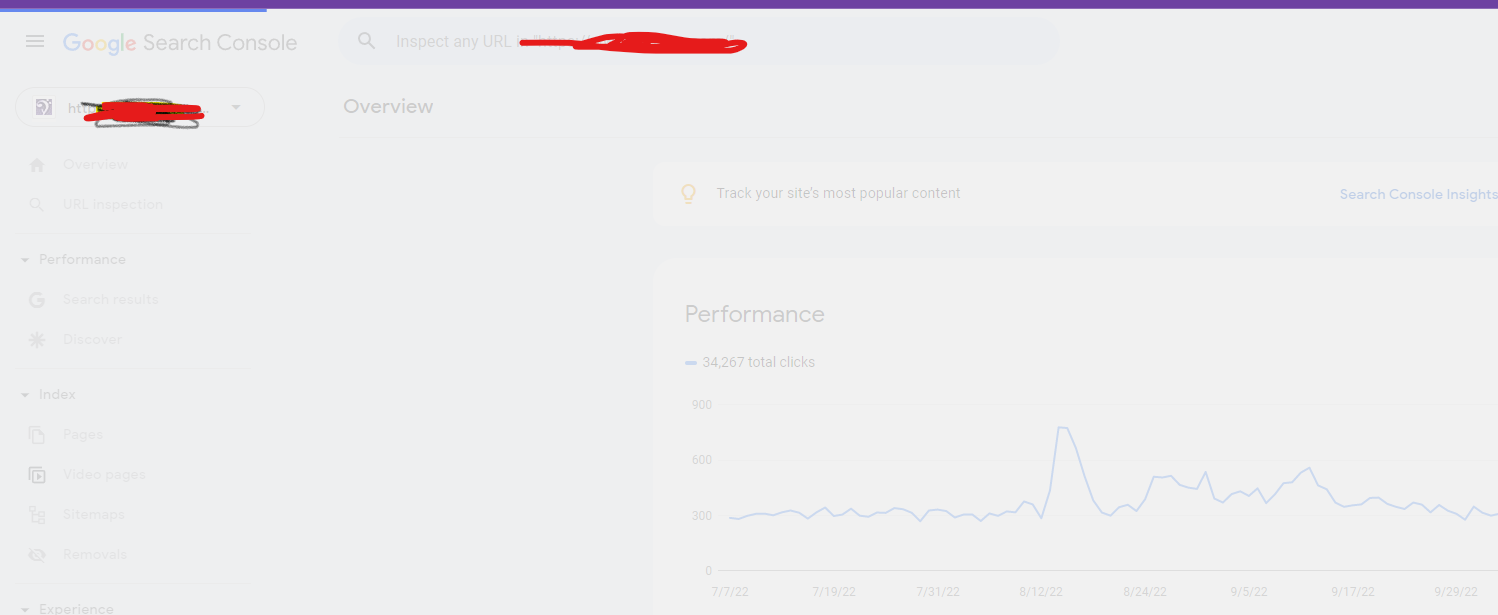
Google Search Console Pages Not Loading properly since a week
Google search console for my two websites is taking too much time to load. Although I have very good internet connection. When I reload the same page 2nd time then it loads quickly. What is this issue and how to resolve this?
- Can someone help?
-
I also facing this issue, for my https://www.uaeadvise.com/ site, Google Search Index Tool isn't showing for my website. Does anyone know how to fix it? - Thanks in Advance!!
-
I am also facing the issue, for my https://www.darsaal.com/ site, Google Search Index Tool isn't showing for my website. Does anyone know how to fix it?
-
The internal resources are not disallowed.
The other resources are very important. Google Analytics has to work.
The original question is still unanswered. -
While I can't read the language in your screenshots, I can recommend that if those resources are on your own domain, make sure they are not disallowed by the robots.txt file. If they are on external domains, ones which you don't control, then there's really not anything for you to do, and you may as well ignore.






Browse Questions
Explore more categories
-
Moz Tools
Chat with the community about the Moz tools.
-
SEO Tactics
Discuss the SEO process with fellow marketers
-
Community
Discuss industry events, jobs, and news!
-
Digital Marketing
Chat about tactics outside of SEO
-
Research & Trends
Dive into research and trends in the search industry.
-
Support
Connect on product support and feature requests.
Related Questions
-

Paid traffic or "Paid Search" is not showing in my Google Analytics
Hi, I have two campaigns running in Google Adwords or Google Ads now and I saw in Google Ads account that I had 5 clicks today (09/18/2018) but when I try to search for this clicks in my Google Analytics in ACQUISITION > All Traffic > Channels I don't find nothing about "Paid Search" or something like that. Bellow is a picture of my Google Analytics account to prove it. The accounts are linked and I can find the 2 campaigns in the Analytics. How can I interpret this picture? Where the paid traffic is showing? or not showing there? Thanks Leandro uvAtrsg
Reporting & Analytics | | lmoraes0 -

How to Diagnose "Crawled - Currently Not Indexed" in Google Search Console
The new Google Search Console gives a ton of information about which pages were excluded and why, but one that I'm struggling with is "crawled - currently not indexed". I have some clients that have fallen into this pit and I've identified one reason why it's occurring on some of them - they have multiple websites covering the same information (local businesses) - but others I'm completely flummoxed. Does anyone have any experience figuring this one out?
Reporting & Analytics | | brettmandoes2 -

Attribution of conversions to payment gateway in Google Analytics
Hi all, We have been having a problem for a while now where most transactions are attributed to referrals from our payment gateway Sagepay. The issue started a couple of months ago, when we finally upgraded our website to https:// for logged in users and transactions. Before, when we were using http://, transactions were attributed to the correct channel. Even weirder, we upgraded 4 websites and only 2 of them have the issue now, the other two continue to attribute transactions correctly. I added Sagepay to the referral exclusion list which made no difference. Over the weekend, we upgraded to the global site tag and it seems to have improved somewhat, but yesterday 50% of transactions were still attributed to referral/sagepay. I am also seeing an odd issue, where for half of the transactions, the revenue and transaction are attributed to one channel, but the products (quantity) are attributed to another. One of the channels is always referral/sagepay and the other is the channel that the transaction should be attributed to. Has anyone seen this issue before? I'd appreciate any tips that might help us fix this issue. Thanks in advance!
Reporting & Analytics | | ViviCa10 -

Google Analytics Goals - Button Tracking
Does anyone know if there is a really easy way to track a button in Google Analytics yourself? It seems that most button click goal setups involve some use of tricky code and I'm wondering if there is a much easier way to do this that will allow us to simply setup and track certain button clicks as goal conversions in Analytics. Your help here is much appreciated!
Reporting & Analytics | | Gavo0 -

Any solution to low search traffic on weekend
Hi. all, https://www.babyment.com is content website. our search traffic always shows a dip on weekend (friday to sunday), anyone has idea why it is like this? and is there a solution to this? or this is a just normal? Thank you.
Reporting & Analytics | | melvinwu0 -

Google Analytics - Average Position
Hi Just trying to get some clarity on Google Analytics Average Positions in "Aquistions/Search Engine Optimisation". For a very competitive keyword Google Analytics is saying i am on average position of 6. Is this Page 6? I am assuming position six would be 1.6?
Reporting & Analytics | | Cocoonfxmedia0 -

Google Analytics Showing Inflated Product Revenue
Hi- For the month of Feb on two of our sites we are seeing inflated product revenues. I have not seen this before and I am not having any luck searching for answers. Here is the issue: Product B sells for $159.95 For the month of Feb we sold 3 thus revenue should be ~$479.85 GA is showing Product B's revenue at $3,360.00 I read online that sometimes folks will bookmark the receipt page and that can cause this and we would need to put a catch in place for this but I am guessing this is not the case as it is happening on two sites. Please let me know if you have any questions.
Reporting & Analytics | | K2_Sports0 -

Localhost:4444 Showing Up in Google Analytics
Hello All, Lately in my Google Analytics account I have noticed a referral source labelled: localhost:4444 The number of visits is really high from this source, but I have no idea (no clue!) what it actually means. Can anyone shed some light on what this is about? Should I be creating some sort of filter to screen out this as a referral source (assuming it is not legitimate)? Many thanks in advance. Cheers!
Reporting & Analytics | | Robert-B0